


In-store Payment
To ensure a smooth shopping experience, you’ll find what’s accepted and how to pay at the register here.
Payment Methods
Credit Card
We accept Visa, Mastercard, JCB, American Express, Diners Club International, Discover, and UnionPay.
- Apple Pay and Google Pay are available for contactless payments.
- UnionPay accepts credit cards only but does not support debit or contactless payments.

Transportation IC Card
Transportation IC cards are issued by public transportation operators and can also be used as electronic money.
We accept Kitaca, Suica, PASMO, Toica, manaca, ICOCA, SUGOCA, nimoca, and HAYAKAKEN.
- You can pay with transportation IC cards registered in Apple Pay or Google Pay.

Scan to Pay
We accept WeChat Pay, Alipay, Alipay+, and more.
Alipay+ (Alipay, AlipayHK, MPay, Kakao Pay, NAVER Pay, Toss Pay, Touch‘n Go eWallet, MyPBby Public Bank, GCash, HelloMoneyby AUB, TrueMoney, K PLUS, OCBC Digital, EZ-link, Changi Pay, Hipay, Tinaba, BigPay, Kaspi, Bluecode, SCB Planet Plus, HUMO, Nayapay, Zalopay), PayPay (E.SUN Wallet, PXPay Plus, JKO PAY, iPASS MONEY,Octopus), J-Coin Pay (UnionPay)

How to Pay
-
Step1
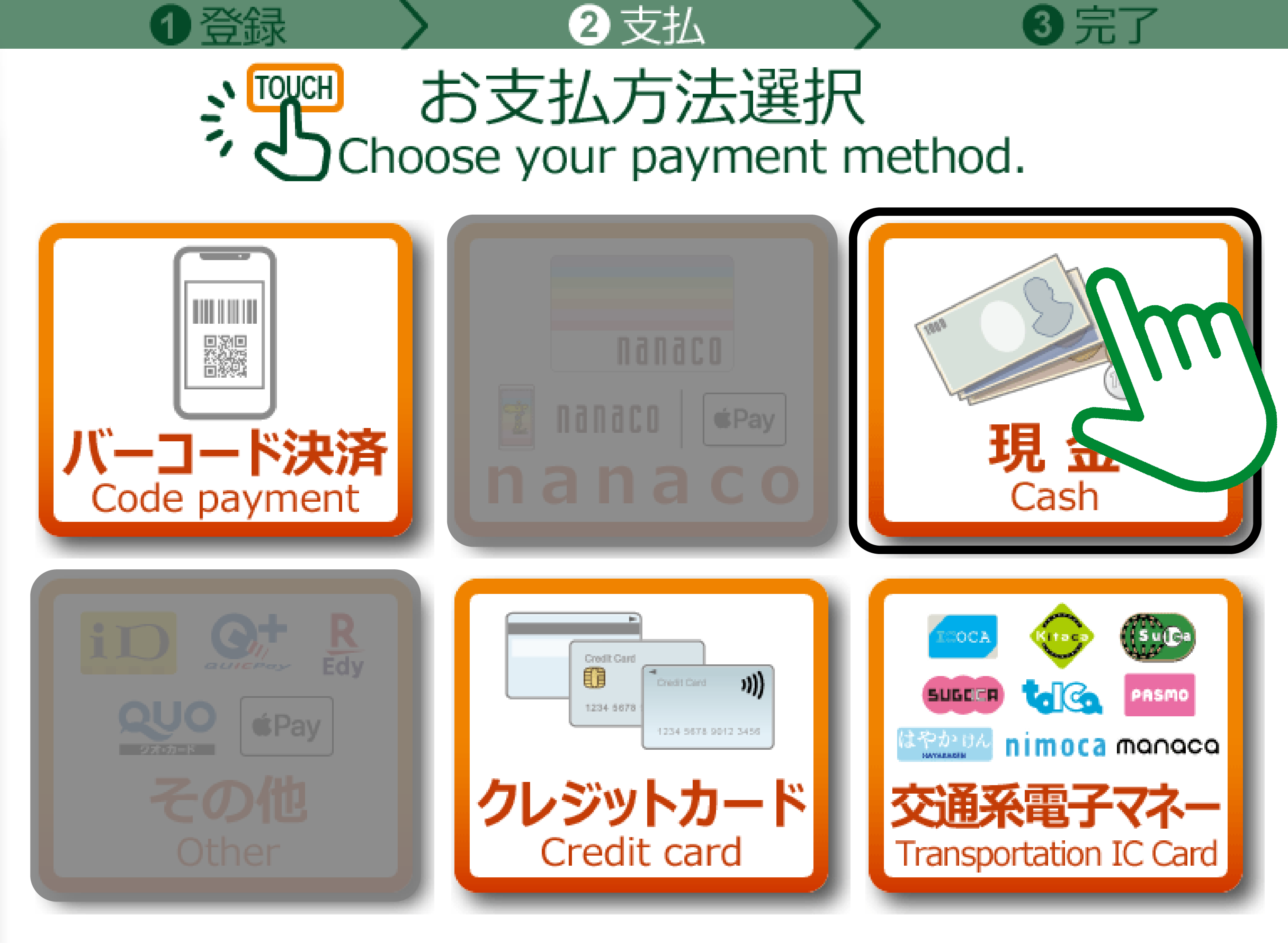
To pay with cash, select the Cash icon.
Step 2
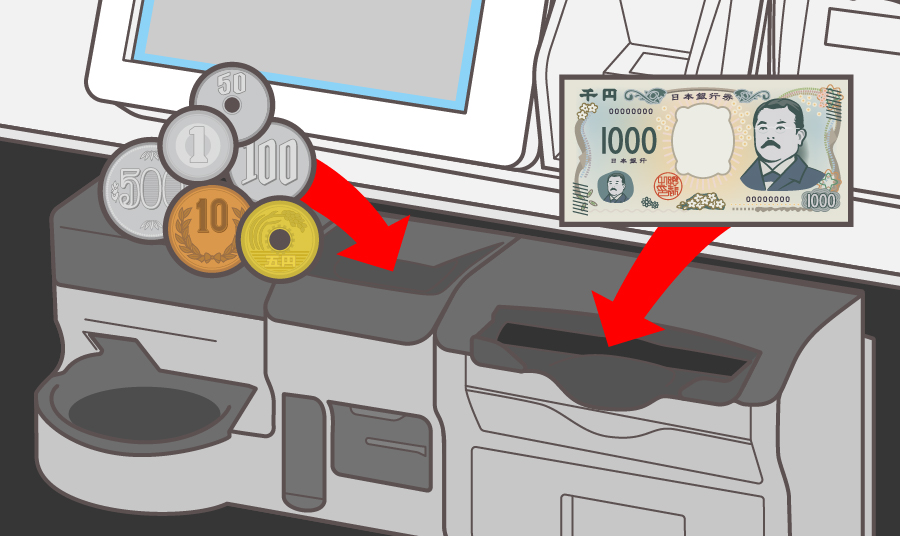
Follow the on-screen instructions, then insert the amount due into the coin/bill slot.
- Cash payments are not available at fully self-service checkouts without a cashier.
- For cash payments, only Japanese yen is accepted.
-
Step1
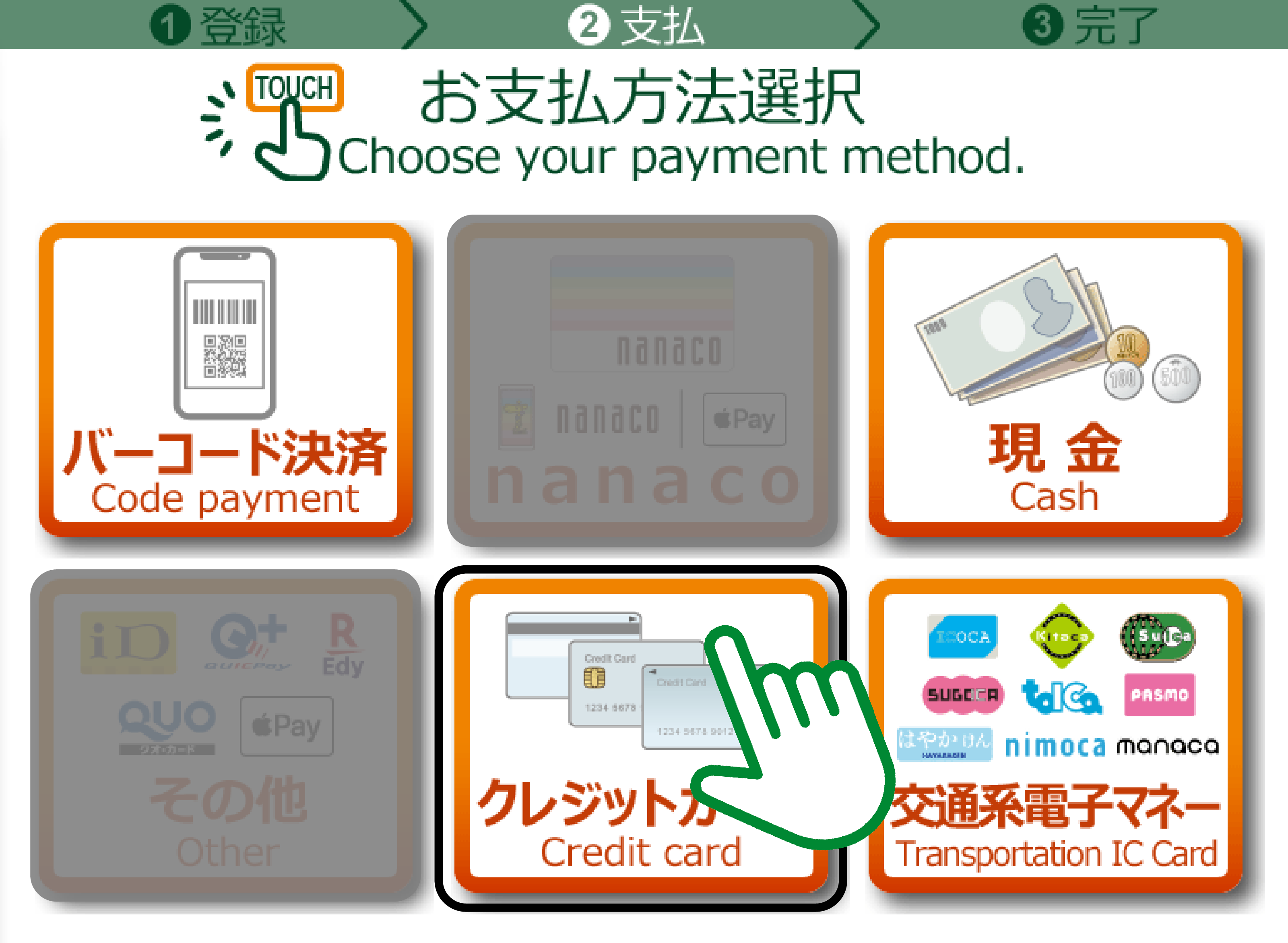
To pay by credit card, select the Credit Card icon.
- Select the Credit icon, even when using Apple Pay or Google Pay.
Step 2
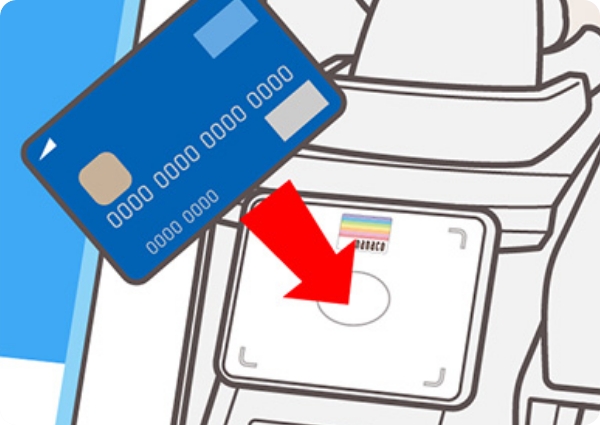
For contactless payment
Hold your card over the reader.
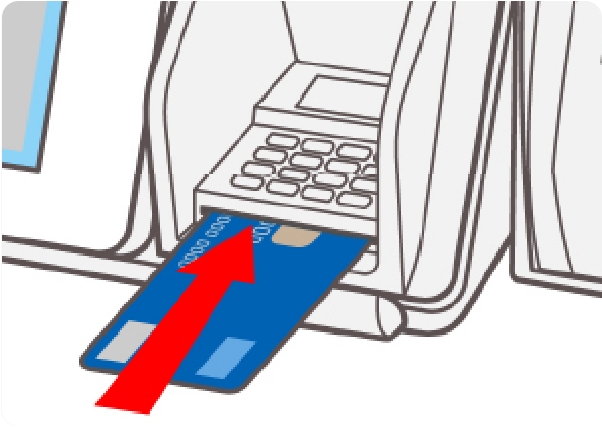
For cards with an IC chip
Insert your card into the PIN pad.
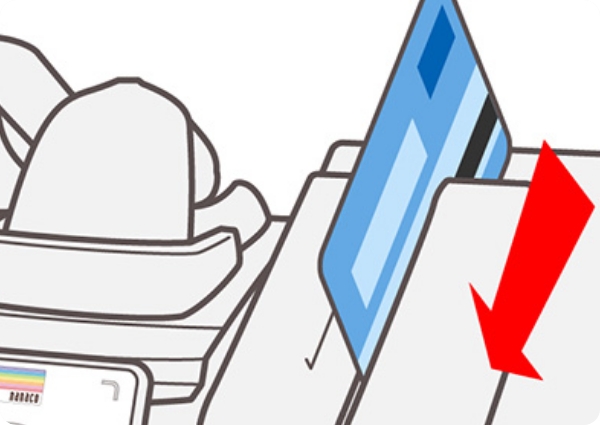
For cards without an IC chip
Swipe your card through the card reader.
-
Step1
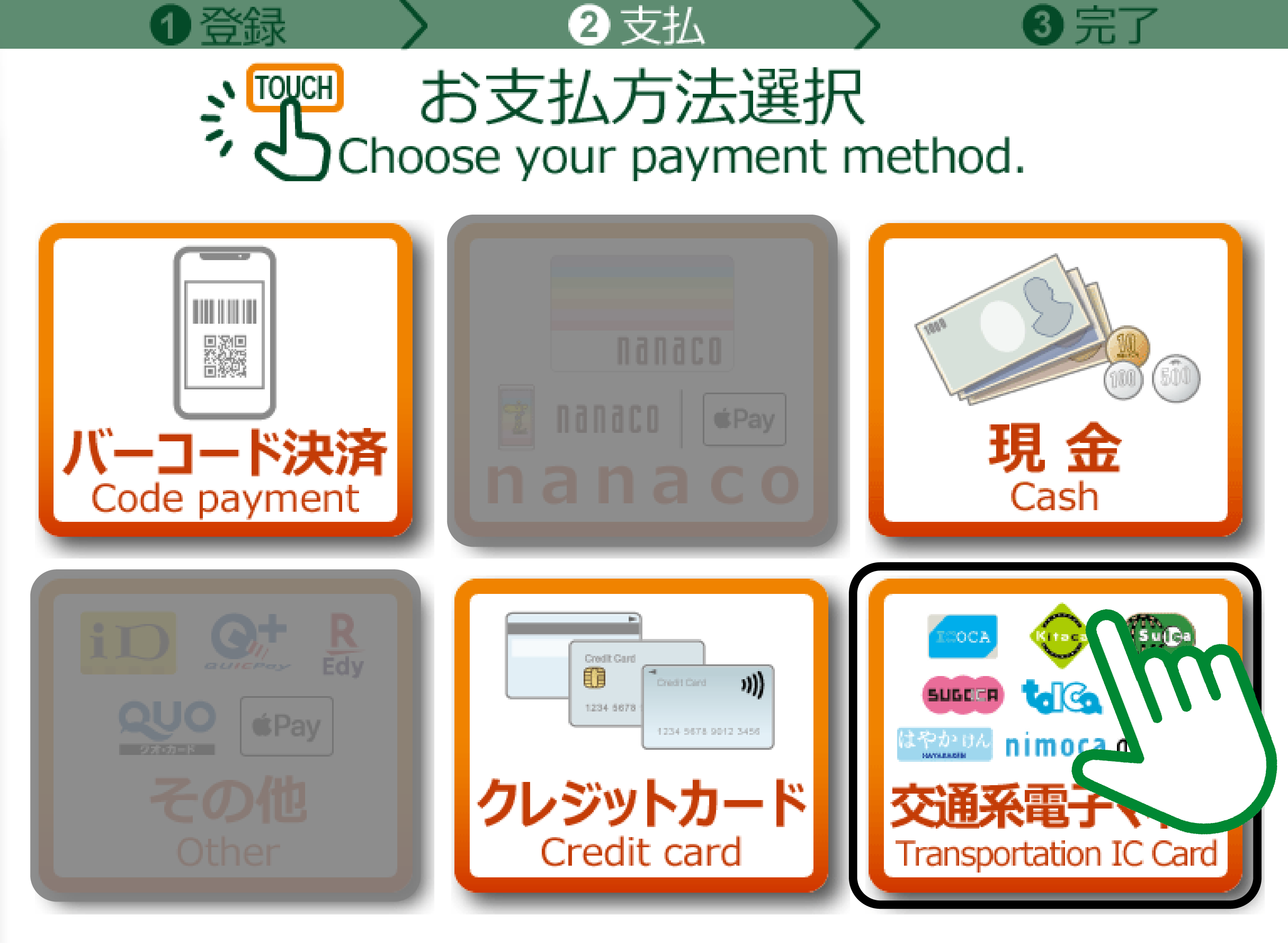
To pay with an IC card, select the Transportation IC Card icon.
Step 2
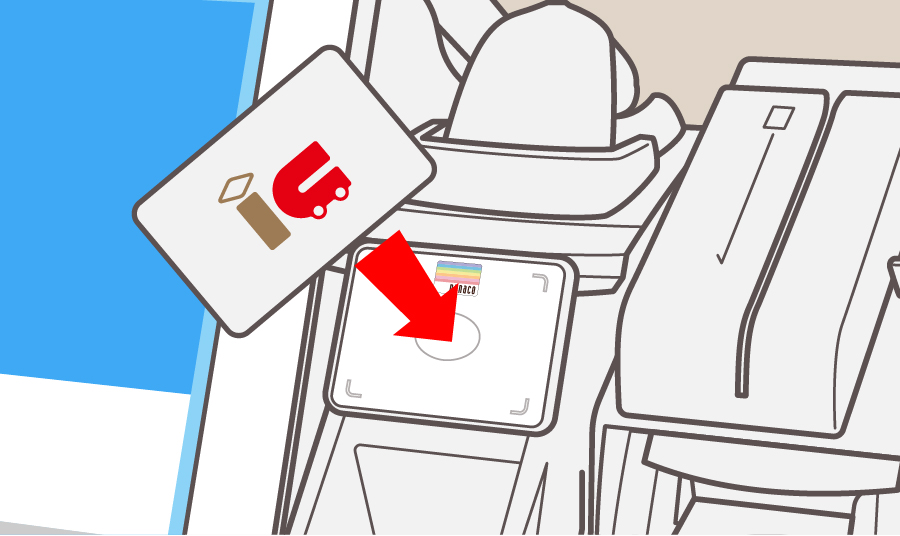
Hold your card over the reader.
-
Step1
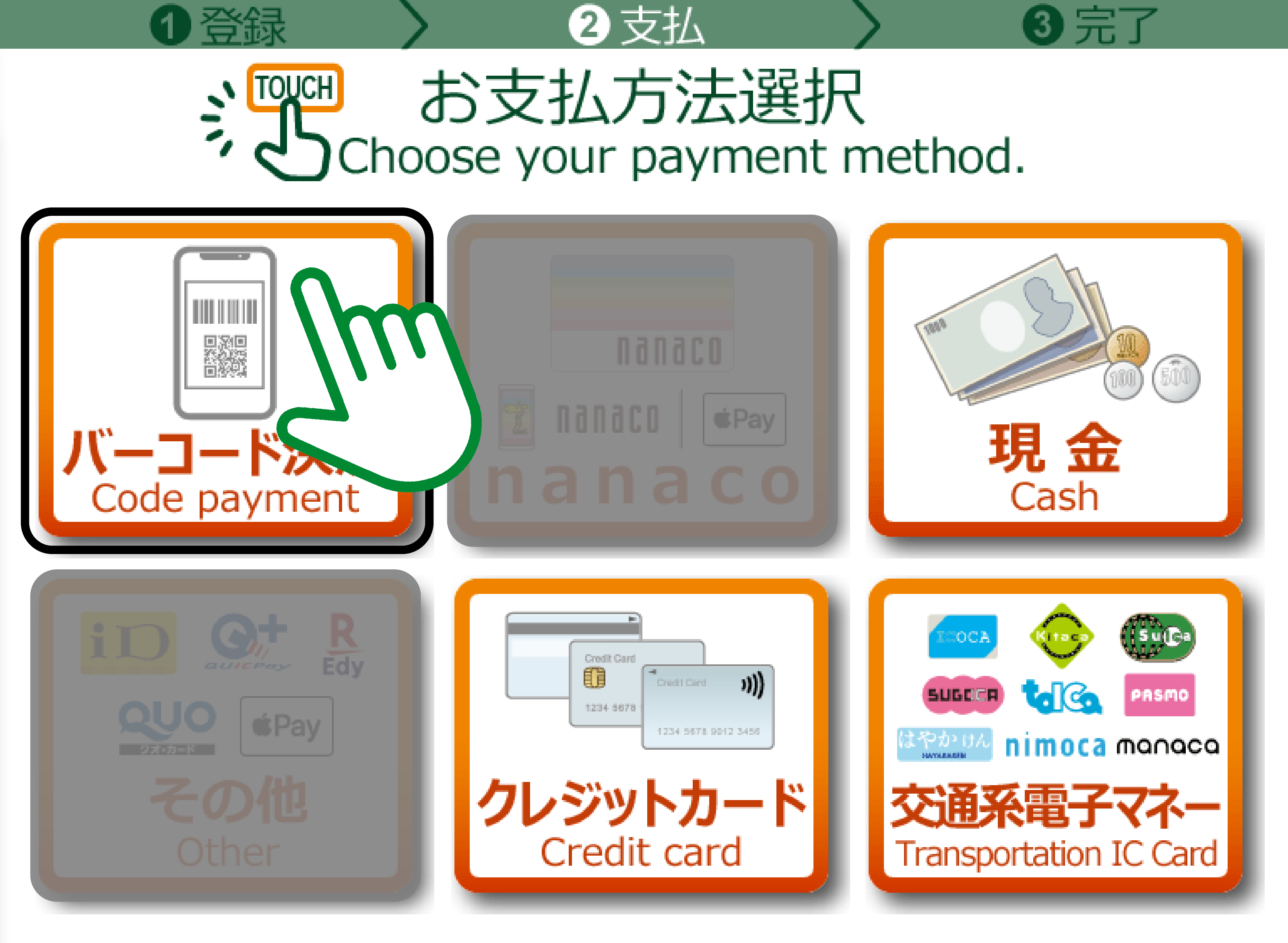
To pay by Scan to Pay, select the Code payment icon.
Step 2
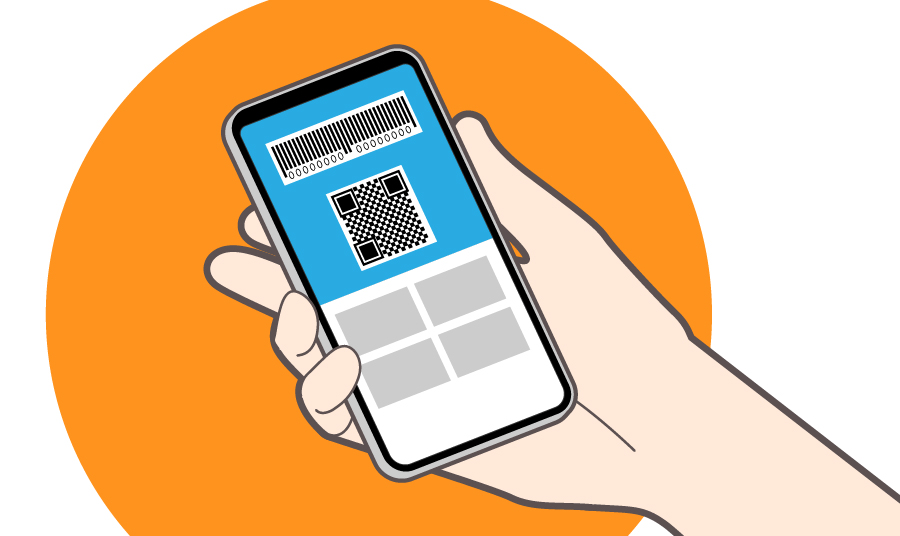
Show the cashier the code displayed in your preferred payment app.


FAQs
-
Can I get tax-free shopping at 7-Eleven stores in Japan?
Yes. You can enjoy tax-free shopping at some 7-Eleven stores in Japan.
-
What items are qualified for tax-free shopping?
-Foods, Beverages, Cosmetics, Cigarettes
Eligible for purchases totalling 5,000yen–500,000yen per day (before tax) at the store.-Stationery, Rain/Miscellaneous goods, Comics/Books, Clothing
Eligible for purchases of 5,000yen or more per day (before tax) at the store.- Please show your passport at checkout.
- Consumable tax-free items will be sealed in a special bag. Please keep the bag unopened until you leave Japan—opening it before departure may result in taxation
-
Can I withdraw Japanese yen with my credit card?
You can withdraw Japanese yen with overseas-issued credit cards (VISA, Mastercard, PLUS, Cirrus, etc.) from Seven Bank ATMs.
Multi-language options are available on the ATM screen.
Find stores with Seven Bank ATMs.
- ATMs may not be available at all locations.
-
Can I exchange foreign currency to Japanese yen?
Some stores are equipped with self-service Money Exchange Machines that allow you to exchange foreign currency to Japanese yen.
Please note:
・Coins are not accepted.
・Exchanges are available for amounts below 100,000yen.
Find 7-Eleven stores in Japan with the Money Exchange Machine.

Copyright © SEVEN-ELEVEN JAPAN CO.,LTD. All Rights Reserved.
Copyright © SEVEN-ELEVEN JAPAN CO., LTD. 版权所有。
Copyright © SEVEN-ELEVEN JAPAN CO.,LTD. All Rights Reserved.
Copyright © SEVEN-ELEVEN JAPAN CO.,LTD. All Rights Reserved.